A Content Calendar System for Creators You Can Actually Stick To
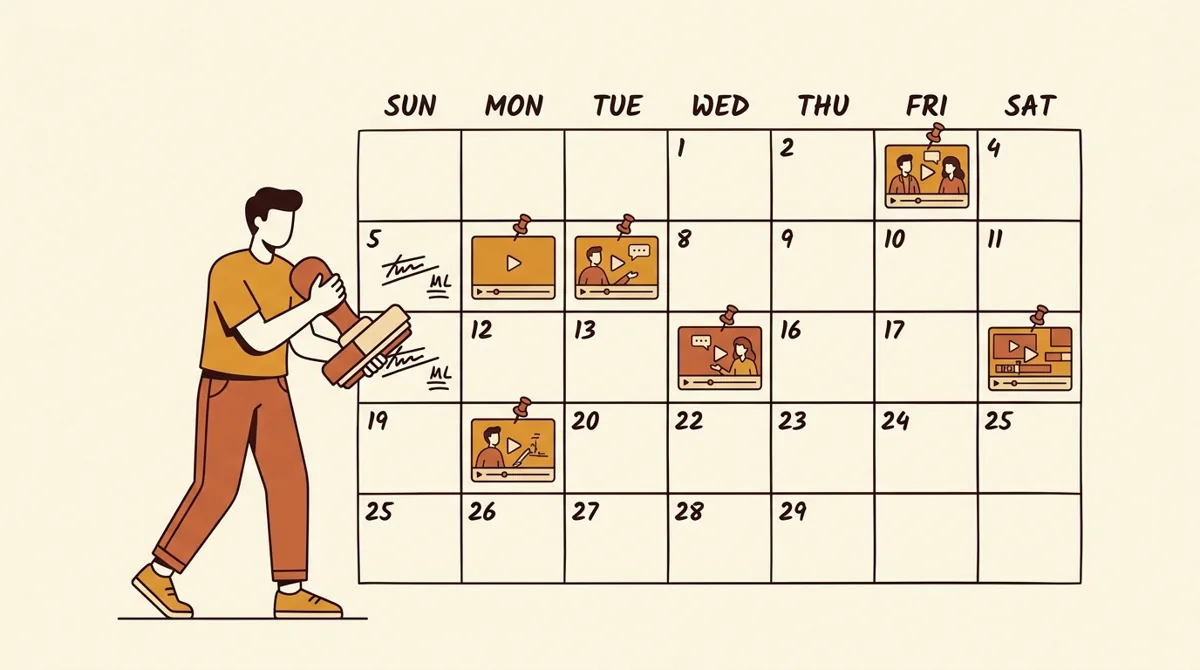
A content calendar is just a plan for what you post and when, written down before you're tired. The reason most creators quit isn't lack of ideas — it's the daily scramble of deciding what to make on no sleep. A simple, repeatable system removes that decision, and removing the decision is what keeps you posting for years instead of weeks.
- Sun · 30 minPlan the week
Lock the week’s pillars and topics. Write every hook now, while you’re fresh — not at 11pm before posting.
- Mon–Tue · 2–3 hrsFilm in one batch
Shoot 3–5 pieces back to back — same lighting, same energy, one setup.
- All weekEdit and post ahead
Stay a day or two ahead so a busy day never breaks your streak.
- Mon/Wed/Fri/SunRotate the pillars
Monday educational, Wednesday relatable, Friday behind-the-scenes, Sunday trend or experiment.
- MonthlyReview and rebalance
Shift effort toward the pillars that drive saves and shares. Keep the cadence steady; change what fills the slots.
Source: framework as described in this guide.
Pick a cadence you can survive a bad week with
The most common mistake is setting a cadence for your best week and then failing during a normal one. Set it for a normal week. If you can post daily forever, great. If not, pick the honest answer below and protect it.
| Stage | Sustainable cadence | Goal |
|---|---|---|
| Just starting | 3 short-form/week | Find your format and voice |
| Growing | 4–5 short-form/week | Feed the algorithm consistently |
| Established | Daily + 1 long-form/week | Depth plus reach |
Three posts a week you can sustain may beat seven you abandon by month two. A calendar improves your production consistency and gives the audience a repeatable format; it does not guarantee an algorithm reward. YouTube's performance FAQ explicitly says upload frequency is not correlated with growth in views across uploads and encourages quality over burnout.
Build content pillars so you never stare at a blank page
A pillar is a recurring theme you make content within. Three to four pillars cover you. For a fitness creator they might be: form tutorials, myth-busting, day-in-the-life, and quick recipes. Now your weekly plan is just rotating through pillars instead of inventing from nothing.
Assign a pillar to each posting day:
- Monday — educational (your most-saved type; people save to come back)
- Wednesday — entertaining or relatable (your most-shared type)
- Friday — behind-the-scenes or personal (builds the parasocial bond that turns viewers into fans)
- Sunday — a trend or experiment (low stakes, high upside)
This single move kills the blank-page panic. You're never asking "what do I post?" You're asking "what's my Monday educational piece this week?" That's a far smaller question.
Batch, don't drip
Filming one video a day means seven setups, seven outfit changes, seven mental switches into "on camera" mode. Batching means doing all of it in one or two focused sessions and posting from a backlog. It's the difference between a job and a grind.
A weekly batch rhythm that holds up:
- Sunday, 30 min — plan. Lock the week's pillars and topics. Write the hooks now, while you're fresh, not at 11pm before posting.
- Monday/Tuesday, 2–3 hrs — film. Shoot 3–5 pieces back to back. Same lighting, same energy, one setup.
- Throughout the week — edit and post. Edit a day or two ahead so a busy day never breaks your streak.
Write all your hooks in the planning session and tighten them before filming. If you want fresh angles fast, the free creator tools include a hook generator you can use without an account. Then run each script through the script timer so you know it lands in time before you ever pick up the camera — re-filming because a video ran long is the most avoidable waste of a batch day.
A calendar template you can copy today
You don't need fancy software. A spreadsheet or a Notion board with these columns covers 90% of creators:
| Column | What it tracks |
|---|---|
| Date | Post day |
| Pillar | Which theme |
| Hook | The first line, written out |
| Status | Idea → Filmed → Edited → Scheduled → Posted |
| Format | Reel, Short, carousel, thread |
| Notes | Trend audio, CTA, repurpose plan |
The "status" column is the quiet hero. Seeing what's stuck at "Filmed" tells you exactly where your bottleneck is — usually editing — so you can fix the real problem instead of guessing.
Repurpose so one idea becomes five posts
Strong creators rarely make 30 original ideas a month. They make 6–8 strong ones and repurpose. One long-form video becomes three Shorts, a carousel, and a thread. Build repurposing into the calendar from the start instead of treating every slot as a fresh invention. This is how solo creators keep a daily cadence without losing their minds.
Review monthly, adjust the plan, not the goal
Once a month, look back. Which pillar drove the most saves and shares? Which posting day underperforms? Shift effort toward what works — maybe educational crushes and behind-the-scenes flops, so you rebalance. Keep the cadence steady; just change what fills the slots. The system stays; the content evolves.
Two warning signs the plan is too aggressive: you're posting filler you're not proud of, or you dread opening the app. Both mean cut the cadence by one or two slots a week. A plan you resent is a plan you'll quit.
Review note: cadence and burnout advice was rechecked against YouTube's official performance guidance and the local tool links were audited on August 12, 2026.
FAQ
How far ahead should I plan content? Plan topics two to four weeks out and have at least three finished pieces in the bank. That buffer is what saves you when you get sick, travel, or have a bad week. Planning further than a month tends to go stale because trends move.
What if a trend pops up that isn't on my calendar? Jump on it — that's the point of the Sunday "trend" slot, but you can swap any slot for a timely trend. The calendar is a default to fall back on, not a cage. Slot the bumped content into next week.
Should I batch film even as a beginner? Yes, even two or three videos at once. Batching builds the muscle of being "on" efficiently and gives you a buffer early, which is exactly when most beginners quit from the daily pressure.
How do I keep a calendar without paying for software? A free Google Sheet or Notion board with the columns above works completely. Software helps once you're juggling multiple platforms and a posting schedule; until then, simple wins. See pricing when you're ready for planning plus scheduling in one place.
My calendar keeps falling apart by week two. What's wrong? Almost always the cadence is set too high, or you're not batching. Drop a slot, film ahead, and write hooks during planning instead of at posting time. A sustainable plan should feel slightly too easy at first.